
Import public key
sudo bash -c 'wget -O- https://labs.picotech.com/Release.gpg.key | gpg --dearmor > /usr/share/keyrings/picotech-archive-keyring.gpg'Configure your system repository
sudo bash -c 'echo "deb [signed-by=/usr/share/keyrings/picotech-archive-keyring.gpg] https://labs.picotech.com/picoscope7/debian/ picoscope main" >/etc/apt/sources.list.d/picoscope7.list'Update package manager cache
sudo apt-get updateInstall PicoScope
sudo apt-get install picoscopeRun picoscope
picoscopeWhen you run picoscope you get the following error

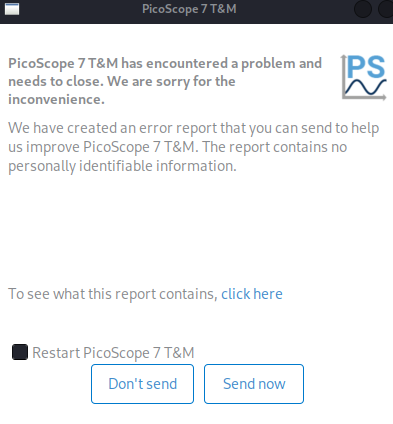
Issue: The library libpicocv.so.1.0.0 has the flag execstack. That’s a kernel/loader security restriction → the binary has an execstack flag set, and Kali (being hardened) blocks it.
SOLUTION:
Create the file execstack.c
/*
 * Minimal execstack tool
 * Allows clearing/setting executable stack flag on ELF binaries
 */

#include <stdio.h>
#include <stdlib.h>
#include <unistd.h>
#include <fcntl.h>
#include <string.h>
#include <errno.h>
#include <elf.h>
#include <sys/mman.h>
#include <sys/stat.h>

static void usage(const char *prog) {
    fprintf(stderr, "Usage: %s [-q|-s|-c] file...\n", prog);
    fprintf(stderr, "  -q   Query execstack flag\n");
    fprintf(stderr, "  -s   Set execstack flag\n");
    fprintf(stderr, "  -c   Clear execstack flag\n");
    exit(1);
}

int main(int argc, char **argv) {
    int action = 0;
    int opt;

    while ((opt = getopt(argc, argv, "qsc")) != -1) {
        switch (opt) {
            case 'q': action = 'q'; break;
            case 's': action = 's'; break;
            case 'c': action = 'c'; break;
            default: usage(argv[0]);
        }
    }

    if (optind >= argc) usage(argv[0]);

    for (int i = optind; i < argc; i++) {
        const char *fname = argv[i];
        int fd = open(fname, O_RDWR);
        if (fd < 0) {
            perror("open");
            continue;
        }

        struct stat st;
        if (fstat(fd, &st) < 0) {
            perror("fstat");
            close(fd);
            continue;
        }

        void *map = mmap(NULL, st.st_size, PROT_READ|PROT_WRITE, MAP_SHARED, fd, 0);
        if (map == MAP_FAILED) {
            perror("mmap");
            close(fd);
            continue;
        }

        Elf64_Ehdr *eh = (Elf64_Ehdr *)map;
        if (memcmp(eh->e_ident, ELFMAG, SELFMAG) != 0) {
            fprintf(stderr, "%s: not an ELF file\n", fname);
            munmap(map, st.st_size);
            close(fd);
            continue;
        }

        // Program headers
        Elf64_Phdr *ph = (Elf64_Phdr *)((char *)map + eh->e_phoff);
        int found = 0;
        for (int j = 0; j < eh->e_phnum; j++) {
            if (ph[j].p_type == PT_GNU_STACK) {
                found = 1;
                if (action == 'q') {
                    printf("%s: %c\n", fname,
                        (ph[j].p_flags & PF_X) ? 'X' : '-');
                } else if (action == 's') {
                    ph[j].p_flags |= PF_X;
                } else if (action == 'c') {
                    ph[j].p_flags &= ~PF_X;
                }
            }
        }
        if (!found) {
            fprintf(stderr, "%s: no PT_GNU_STACK segment\n", fname);
        }

        munmap(map, st.st_size);
        close(fd);
    }

    return 0;
}
Compile
gcc -Wall -o execstack execstack.cMove to bin path
sudo mv execstack /usr/local/bin/Query
sudo execstack -q /opt/picoscope/lib/libpicocv.so.1.0.0Clear execstack
sudo execstack -c /opt/picoscope/lib/libpicocv.so.1.0.0And finally run picoscope
sudo picoscope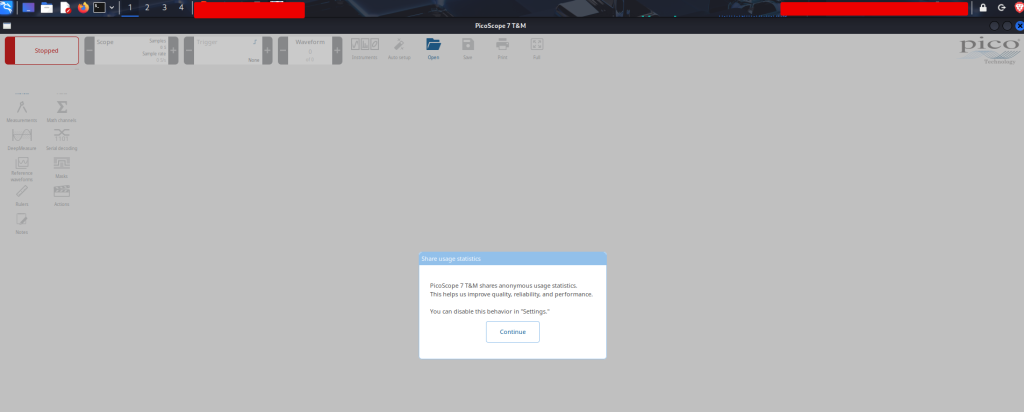
Linux tips:
LD_DEBUG=help command
apt search
sym link: ln -s /path/to/existing/file_or_directory /path/to/symlink
ldd program (to discover missing libraries)
prelink
execstack
move to /usr/local/bin/ (binary global access)
gcc -Wall (show extra warnings)
Leave a Reply